
CSV Search Engine
Search large CSV and Excel files in one place.
How it works
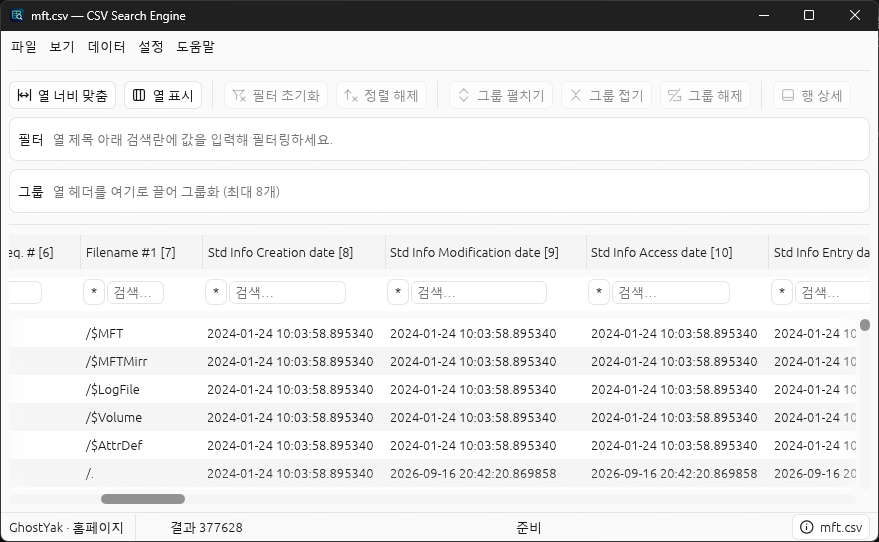
Open a file and search right under the column headers.
Narrow large CSV or Excel files exported by forensic tools down to just the rows you need with per-column conditions.
Open a file
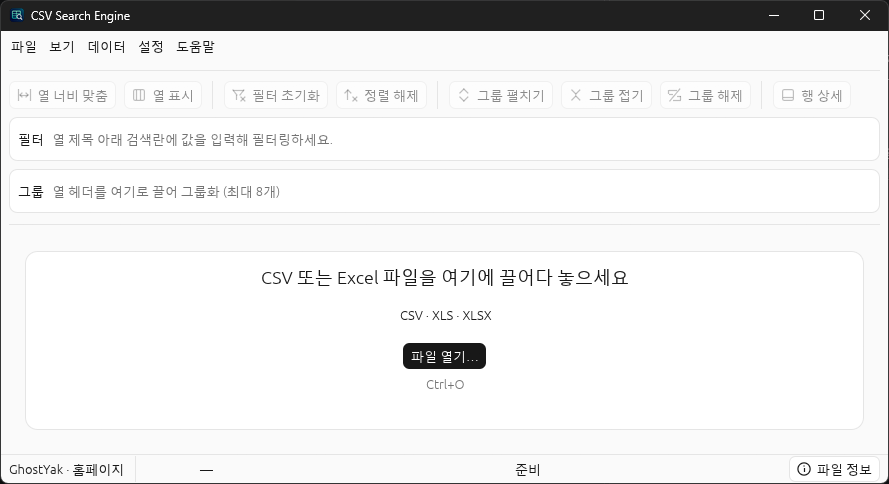
Choose a CSV, XLS, or XLSX file with File → Open (Ctrl+O), or drag it onto the window.
Search by column
Type a condition in the search box under a column header and press Enter. Enter conditions in several columns to show only rows that match all of them.
Sort and view details
Click a column header to sort, select a row, and open Row details to see every column’s value.
Key features
Find it, narrow it, group it.
Column search and filters
Find rows with contains, excludes, exact match, starts or ends with, empty, and not empty conditions.
Number and date ranges
Compare numbers and dates with greater than, at least, less than, at most, and between. Example: 2026-09-01 .. 2026-09-20
Sorting and grouping
Click a column header to sort, and drag columns into Field groups to group identical values up to eight levels deep.
Table navigation
Continuous scrolling, hidden columns, adjustable column widths, and row details make wide tables easy to explore.
CSV and Excel support
Open CSV, XLS, and XLSX files and switch between sheet tabs. Excel doesn’t need to be installed.
Languages and encodings
Korean, English, Japanese, and Chinese UI, with automatic detection of CSV encodings such as UTF-8, CP949, and Shift_JIS.
Offline analysis
Originals stay untouched. Analysis stays on your PC.
It never modifies or uploads your original files. It runs without an internet connection or account, and makes no automatic network requests or usage collection.
FAQ
Frequently asked questions
For non-commercial use, all features are free with no time or usage limits. Use for commercial work, such as a company’s internal operations or paid forensic analysis, is prohibited. You can also review the terms of use in the app under Help → About.
Download it and open your first file.
64-bit Windows · Free for non-commercial use