
 Windows 10/11 · 64-bit
Boxes
Files stay put. Your desktop, your way.
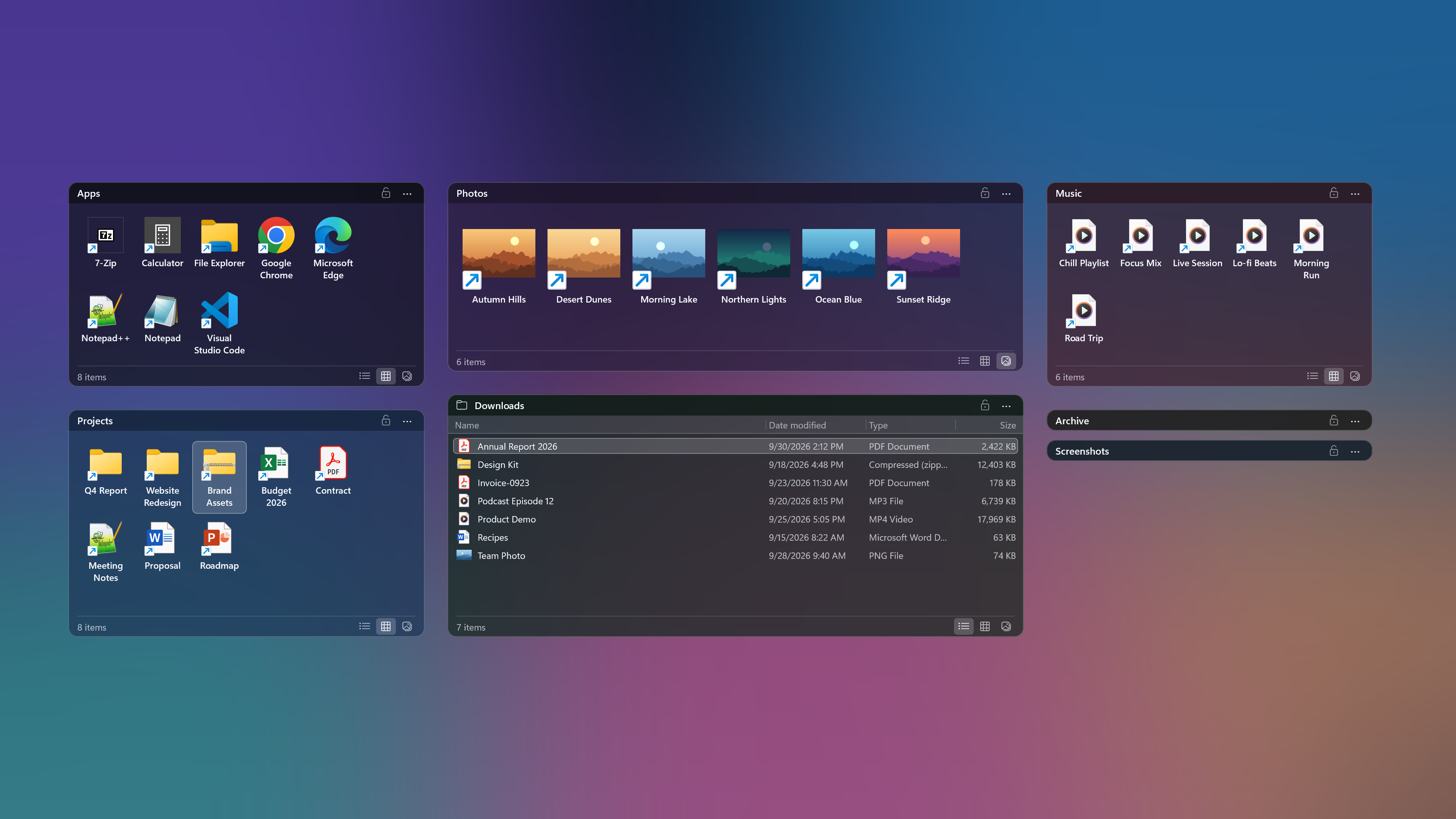
Organize around your work
Store in folders. Work from boxes.
Project folders, documents and everyday apps. Bring items from different locations together around the task at hand.
Existing folders
Current project
Right-drag to create a box
Drag with the right mouse button on an empty area of your desktop to create a box at the size you want.
Drag in files and folders
Drag the items you need into a box. You can link the same item to multiple boxes.
Move, resize and collapse
Drag the title bar to move a box and its edges to resize it. Double-click an empty part of the title bar to collapse it.
- Lock the layout to prevent accidental moves
- Restore positions and sizes for each monitor setup
Features available for free today
Free at home and at work.
Use it for free personally, at your company or for work. No account or payment details required.
Desktop organization
FreeNo limits on boxes, items or length of use.
- Organize files, folders and app shortcuts
- Move, resize, collapse and lock boxes
- Restore layouts for each monitor setup
- Personal, company and work use
We plan to offer sync as a paid feature in the future. Features, pricing and timing will be announced later.
Yes. The desktop organization features currently available are free for personal, company and work use. There is no trial period that ends with a required payment.
Download and create your first box.
Windows 10/11 · 64-bit · Installs without administrator permission
Official installer · GitHub Releases
Latest version and changesRun the installer
Run the downloaded GhostyakBoxes-x64-setup.exe and follow the installation instructions.
Start automatically after installation
Leave the option to launch Ghostyak Boxes selected on the final screen and finish the installation. Boxes will start automatically.
Create your first box
Right-drag on an empty area of the desktop to create a box, then drag in the files or folders you need.