
New30-day trialWindows · x64
Ghostyak Notes
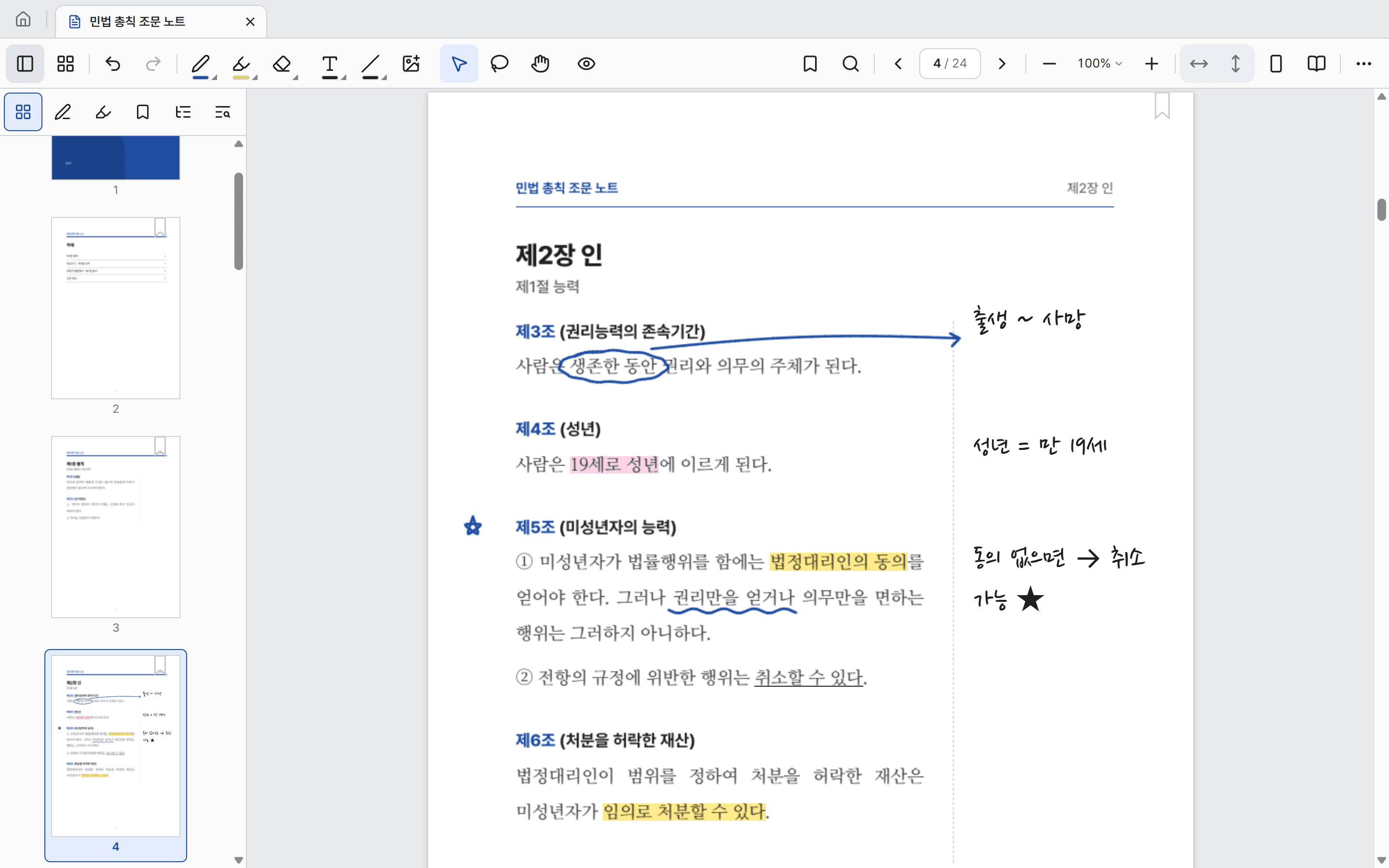
A Windows note app for writing on PDFs with pen and keyboard, and finding what you read across all your documents.
Explore the PDF note appAll features for 30 days · Compare Trial and Pro
GHOSTYAK SOFTWARE
From desktop organization and time management to OSINT and forensic investigations. Rather than piling on features, we focus on properly solving one frustration you run into often.
A Windows note app for writing on PDFs with pen and keyboard, and finding what you read across all your documents.
Explore the PDF note appAll features for 30 days · Compare Trial and Pro
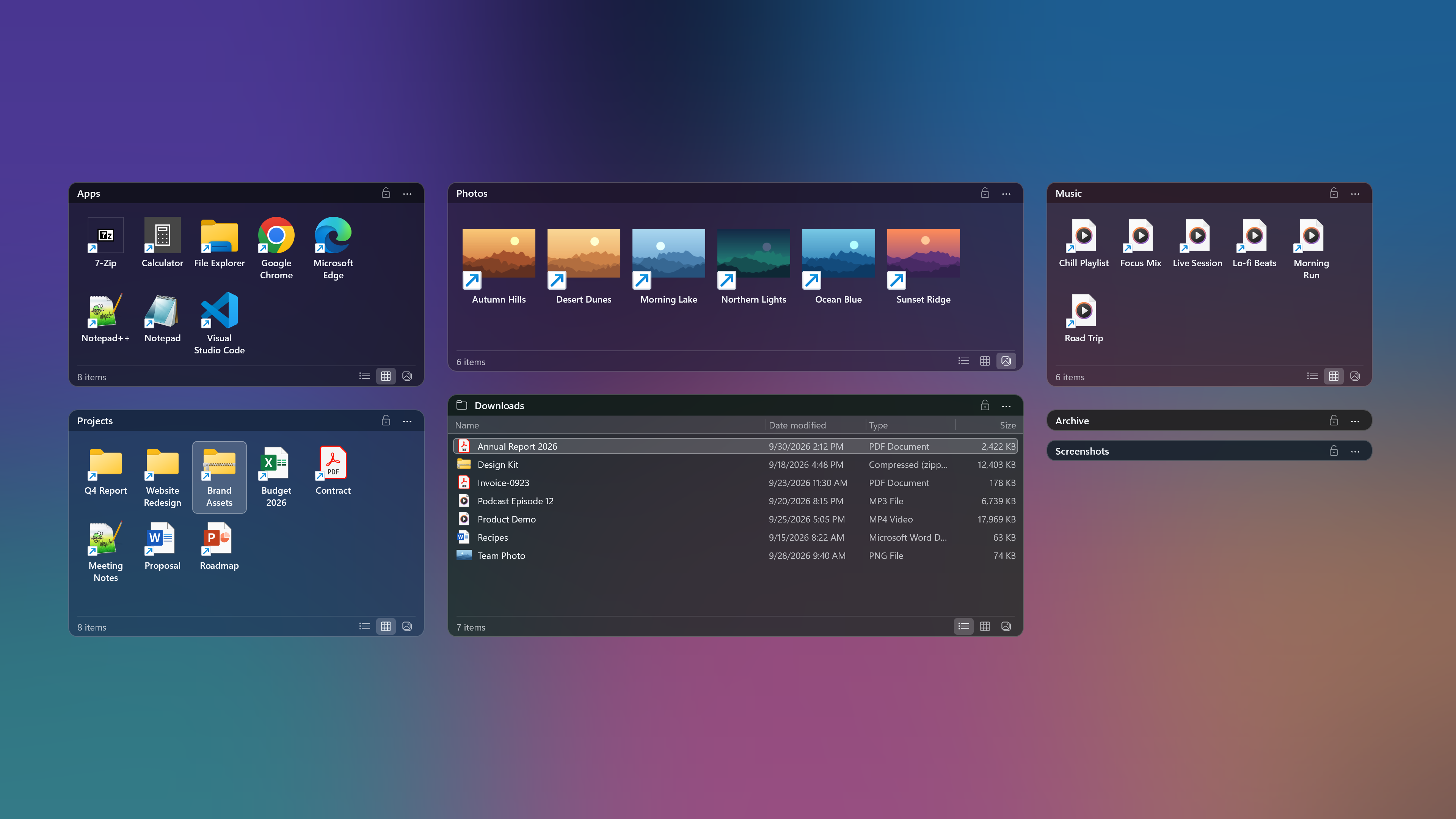
Keep files in their original folders and gather them into task-based boxes on your desktop. Core features are free, including at work.
Explore the product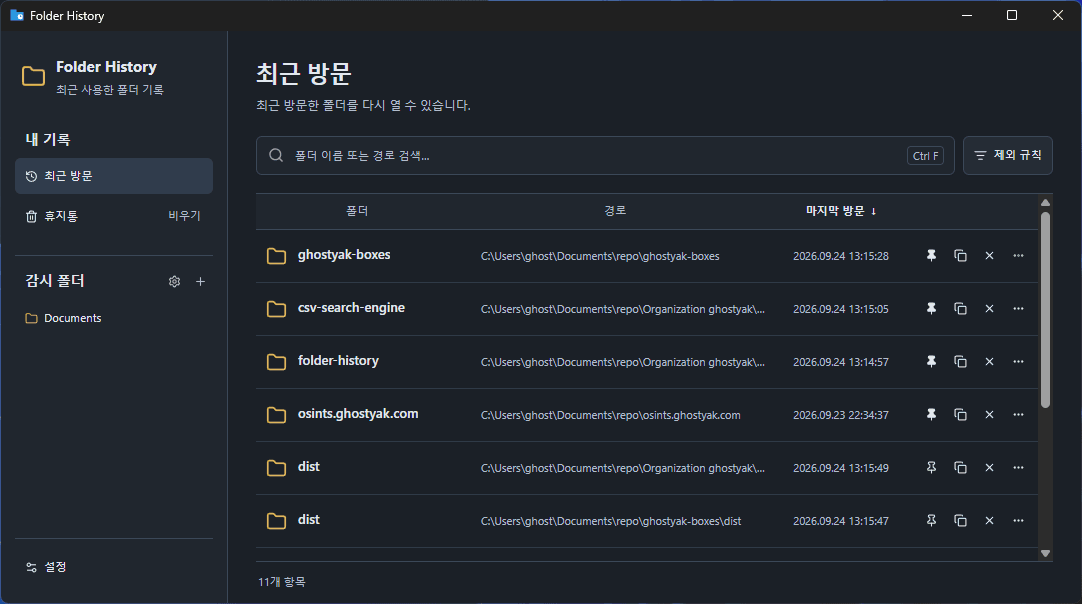
A Windows app that records the folders you visit in File Explorer so you can reopen them right from the tray.
Explore the productSearch large CSV and Excel files in one place.
Explore the productA time tool with the current time, world clock, alarms, timers, Pomodoro, and a stopwatch, ready in your browser with nothing to install.
Open websiteSearch and analyze IP addresses, domains, and more in one place, without jumping between OSINT sites.
Open websiteBLOG
News about new products and features, plus the problems we ran into while building and how we solved them.
You can now keep writing after the trial ends. Ghostyak Notes v1.0.3 also adds split view, license activation, and a faster page overview.
The beta is over and v1.0.0 is here. It is now a 30-day trial, with a new home screen, document merging, OCR for images, and a better minimap and writing tools.
Ghostyak Notes v0.1.4-beta adds an outline you can build and edit yourself, a minimap that shows the whole document at a glance and a pen that straightens when you pause, along with a tidier layout.